




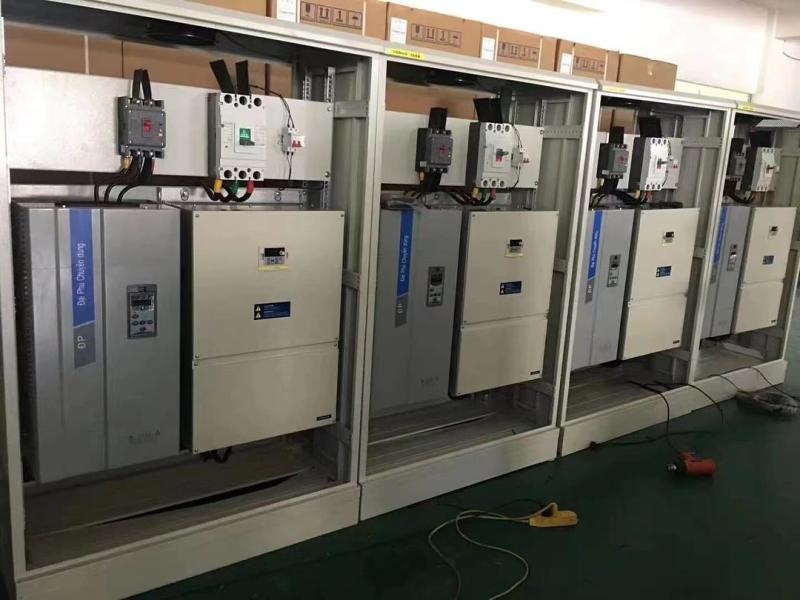
You want your vfd drives to work well. Good installation and care help your vfd run right. If you follow expert tips, you can stop problems like getting too hot or shutting down by surprise. If you do not follow safety rules, you might have to pay a lot for repairs. Canroon has experience and gives you tips that work and are used in the industry.
Remember, taking care of your equipment means less trouble and it lasts longer.
Key Takeaways
Pick the right VFD for your motor’s size and load. This helps your system work well and stay safe.
Mount your VFD tightly so it does not move. Use strong brackets and make sure the surface is flat. This stops problems later.
Make sure all electrical connections are tight and clean. Check them often to stop sudden failures and keep things running smoothly.
Let air move around your VFD. Leave space for air and clean the vents often. This stops the VFD from getting too hot.
Clean your VFD on a set schedule. Check and clean filters, vents, and the area around it often. This helps your VFD work well.
VFD Sizing and Selection
Assess Motor and Load
You need to choose the right vfd for your motor and load. If you pick the wrong size, your system may not work well. Start by looking at the motor type and size. Make sure the vfd matches the voltage and current your motor needs. For example, if you use a 3 phase vfd with a 20 hp vfd drive, check that the drive can handle the motor’s power. You should also think about the control options. Some vfd drives offer basic controls, while others give you advanced features. Pick the one that fits your job.
Next, look at the environment where you will install the variable frequency drive. If you place a 3 phase vfd in a hot or dusty area, you may need extra cooling or protection. Always check if the 20 hp vfd drive can work in your space. Good planning helps you avoid problems later.
Tip: If you use a 3 phase vfd for a heavy load, make sure the 20 hp vfd drive has enough capacity. This keeps your system safe and reliable.
Here is a simple checklist for selecting a vfd:
Motor type and size: Match voltage and current.
Control options: Choose basic or advanced features.
Environmental factors: Check for heat, dust, or moisture.
Service and support: Pick a trusted brand with good help.
Reference Canroon’s Guide
You can make your selection easier by using Canroon’s resources. Canroon offers guides that help you pick the right 3 phase vfd and 20 hp vfd drive for your needs. Their experts answer questions and give advice. If you need help with maintenance or setup, Canroon’s support team can guide you. Using their checklist saves you time and helps you avoid mistakes.
Note: Canroon’s guides help you choose the best variable frequency drive for your motor and load. You get clear steps and expert tips.
If you follow these steps, you will find the right vfd for your system. You will also make maintenance easier and keep your equipment running smoothly.
Installing a VFD: Mounting and Wiring
Secure Mounting
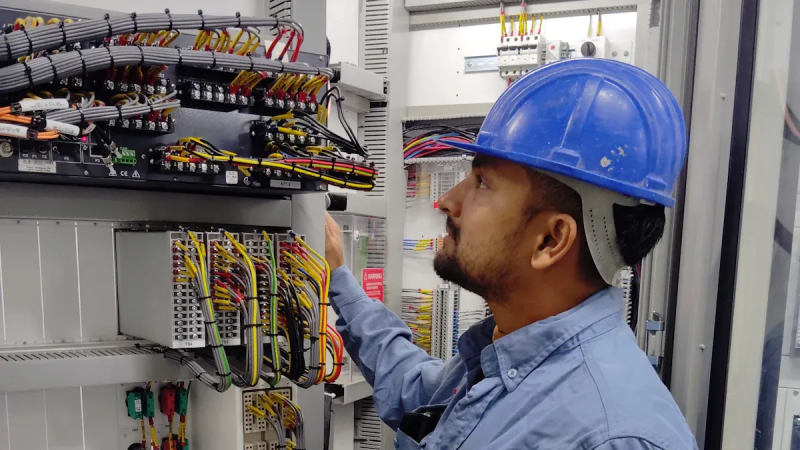
When you put in a vfd, make sure it is held tightly. A strong mount keeps the variable frequency drive safe from shaking or moving. If the vfd moves, wires can come loose or parts might break. Use tough brackets and the right screws for your wall or panel. Always check that the spot is flat and clean before you put up the vfd. Doing this helps stop problems and makes fixing things easier.
Tip: Keep the vfd away from machines that shake or make dust. This helps your vfd drives last longer and lets you find problems sooner.
Proper Wiring Practices
Good wiring is important for a safe and steady vfd. Always use the wiring guide from the maker. Pick cables that fit the power your variable frequency drive needs. Good cables last longer and help your vfd work well. Bad cables can get hot, lose power, or stop working.
Here is a table that shows how cable quality and where you put them can change how well the vfd works and lasts:
Keep power wires and control wires apart. This stops electric noise from causing problems. Make sure all wires are tight and clean. Loose wires can make the vfd stop or trip. If you use good cables and wire things right, your vfd will work well and last longer.
Note: Good wiring and strong mounting keep your vfd safe and make repairs easier later.
Grounding and Electrical Connections for VFD Drives
Effective Grounding
You need to ground your vfd the right way. Good grounding helps you stop electrical noise and keeps your system safe. If you do not ground your vfd, you may see problems like random trips or strange motor behavior. Electrical noise can travel through wires and cause your vfd to act up. You should use a short, thick wire for grounding. This wire should go straight from the vfd to the ground bar. Avoid sharing the ground wire with other equipment. If you connect too many things to one ground, you can create ground loops. Ground loops make noise and can damage your vfd drives.
Here is a simple checklist for grounding your vfd:
Use a short, thick ground wire.
Connect the ground wire directly to the ground bar.
Do not share the ground wire with other devices.
Check the ground connection often during maintenance.
Tip: Good grounding keeps your vfd safe and helps you avoid electrical problems.
Tight Connections
You must keep all electrical connections tight and clean. Loose wires can make your vfd stop working or trip. Dirt and dust can also cause trouble. When you install your vfd, use a screwdriver to check every wire. Make sure each wire fits snugly in its terminal. If you see any rust or dirt, clean it before you connect the wire. You should check connections during every maintenance visit. Tight connections help your vfd work well and last longer.
Here is a table that shows what happens if you do not keep connections tight:
Note: You can prevent many problems by checking connections and cleaning terminals during maintenance.
If you follow these steps, you help your vfd run smoothly. Good grounding and tight connections protect your equipment and keep your system safe.
VFD Ventilation and Cooling
Adequate Airflow
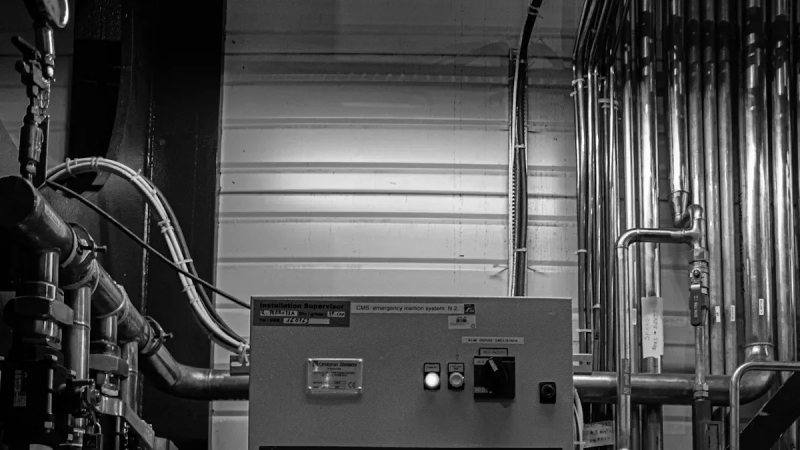
You need to keep your vfd cool to help it work well. Good airflow stops your vfd from getting too hot. If you put your vfd in a tight space, heat can build up fast. You should install your vfd in a spot with plenty of air moving around it. Leave space on all sides so air can flow. If you use a cabinet, make sure it has vents or fans. Fans push hot air out and pull cool air in. You can check the airflow by feeling for warm spots near your vfd. If you find any, move things around or add a fan.
Tip: Place your vfd drives away from walls or other machines. This helps air move and keeps your vfd cool.
Here is a simple list to help you check airflow:
Leave at least 4 inches of space around your vfd.
Use cabinets with vents or cooling fans.
Check for warm spots during maintenance.
Clean vents and fans often.
Temperature and Humidity Control
You must control the temperature and humidity where you install your vfd. High heat can damage parts inside your vfd. Too much moisture can cause rust or short circuits. You should keep the room cool and dry. Use air conditioners or dehumidifiers if needed. Watch the temperature with a simple thermometer. If you see water drops or feel damp air, fix the problem right away.
Note: Regular maintenance helps you spot problems early. Clean dust and check for moisture every month.
If you follow these steps, your vfd will last longer and work better. Good airflow and the right temperature protect your vfd from damage. You save money and avoid trouble by keeping your vfd drives in a safe place.
VFD Parameter Settings and Fine-Tuning
Application-Specific Adjustments
You can make your vfd work better by adjusting its settings for your job. Every application needs different settings. You should set the ramp-up time so your motor starts smoothly. If you set it too fast, your motor may jerk or trip. If you set it too slow, you may waste time. You can also change the ramp-down time. This helps your motor stop safely. You should check the frequency range. Some jobs need high speed, while others need low speed. You can set the minimum and maximum frequency to match your needs.
You should look at the overload protection setting. This keeps your vfd safe if your motor pulls too much current. You can set the protection level based on your motor size. You should also check the braking settings. If your job needs quick stops, you can set the braking time and strength. You should test your vfd after you change the settings. Watch how your motor runs. If you see problems, you can adjust the settings again.
Tip: You should write down your settings after you finish. This helps you during maintenance and troubleshooting.
Use Canroon Templates
You can save time by using Canroon’s parameter templates. These templates give you a starting point for your vfd drives. You can pick a template that matches your application. The template shows you the best settings for ramp-up time, frequency, and protection. You can follow the steps in the template to set up your vfd. If you need help, you can ask Canroon’s support team. They can guide you through the process.
Here is a table that shows how templates help you:
You should use templates for new installations and when you do maintenance. This keeps your vfd running well and helps you avoid problems.
VFD Cleaning and Dust Prevention
Regular Cleaning Schedule
You need to keep your vfd clean to help it work well. Dust and dirt can block airflow and make your vfd get too hot. Overheating can cause your vfd to fail or shut down. You should set up a regular cleaning schedule for your vfd drives. This helps you catch problems before they get worse.
Start by checking the air filters every month. If you see dust or debris, clean the filters right away. Use a soft brush or a vacuum to remove dirt. You should also look at the vents and fans. Clean these parts during each regular cleaning. If you skip this step, dust can build up and block cooling.
Tip: Write down each cleaning in your maintenance log. This helps you remember when you cleaned your vfd and shows you care for your equipment.
Here is a simple checklist for regular cleaning:
Inspect air filters monthly
Clean vents and fans
Remove dust from the cabinet
Record each cleaning in your log
Prevent Dust and Debris
You can stop dust and debris from getting inside your vfd. Place your vfd in a clean area away from machines that make dust. If you must install your vfd in a dusty spot, use a sealed cabinet with good airflow. Check the cabinet seals during maintenance to make sure they work.
You should keep the floor around your vfd clean. Sweep or vacuum often. If you see dust on the vfd, clean it right away. You can use a dry cloth or a small vacuum. Avoid using water because moisture can damage your vfd.
Note: Good cleaning habits help your vfd last longer and work better. You save money and avoid trouble by keeping dust away.
Routine VFD Inspections and Maintenance
Visual Checks
You should look at your vfd often. Checking your vfd helps you find problems early. Look for rust on metal parts. Rust can break connections and cause trouble. Check for water drops inside the cabinet. Water can make short circuits and cause issues. Look for dust and dirt near vents and fans. Dust blocks air and can make your vfd too hot. If you see loose wires or burn marks, fix them fast. These problems can stop your vfd from working.
Use a flashlight to see small spaces. Make sure labels are easy to read. Write down anything that looks odd. Checking your vfd often is a good way to keep it safe. Simple checks help you stop many problems.
Tip: Set a reminder to check your vfd every month. Finding problems early makes fixing easier and saves money.
Maintenance Logs
You should keep a log for each vfd. A log helps you remember when you did checks or repairs. This record shows when you cleaned filters or checked wires. You can see if the same problem happens again. This helps you plan what to fix next. If you see a problem more than once, you know where to look.
Here is a table that shows how logs help you:
A good maintenance plan means checking and fixing your vfd often. Doing what the maker says helps stop breakdowns. You spend less time fixing and more time using your system. Canroon’s checklist helps you keep good records and avoid mistakes.
Note: Keeping logs helps you fix problems faster. You protect your vfd and stop surprise breakdowns.
You can help your vfd drives work well if you use these seven tips. If you install your vfd the right way and take care of it often, you can stop problems that cost money. Your vfd will last longer and do a better job. Canroon gives you help like VFD Reforming and different maintenance plans. These things help you fix issues and make your system better. Try these tips to keep your equipment safe and your job safe.
VFD Reforming
Different maintenance plans
FAQ
What happens if you install a VFD in a dusty area?
Dust can block airflow and cause overheating. You should clean filters and vents often. Use a sealed cabinet if you must install the VFD in a dusty spot.
How often should you check VFD connections?
You should check connections every month. Tight and clean connections help your VFD work well. Loose wires can cause trips or failures.
Can you use any cable for VFD wiring?
No, you should use cables that match the VFD’s power needs. Good cables last longer and help your VFD run safely. Poor cables can overheat or fail.
What is the best way to keep a VFD cool?
Place your VFD in a spot with good airflow. Leave space around it. Use fans or vents in cabinets. Clean vents and fans often to prevent overheating.
Previous:
Next:
Sign up for updates