




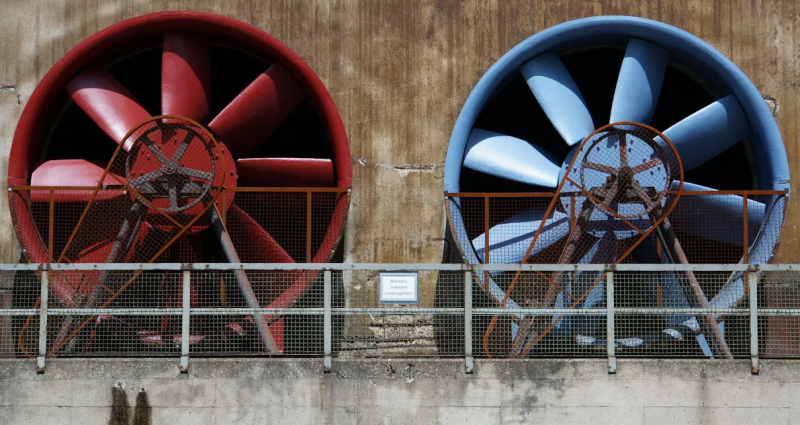
To pick the right fan VFD, you must match it to your fan’s motor and load. Look at the most important things for good performance and safety. The table below lists what you should check before you choose:
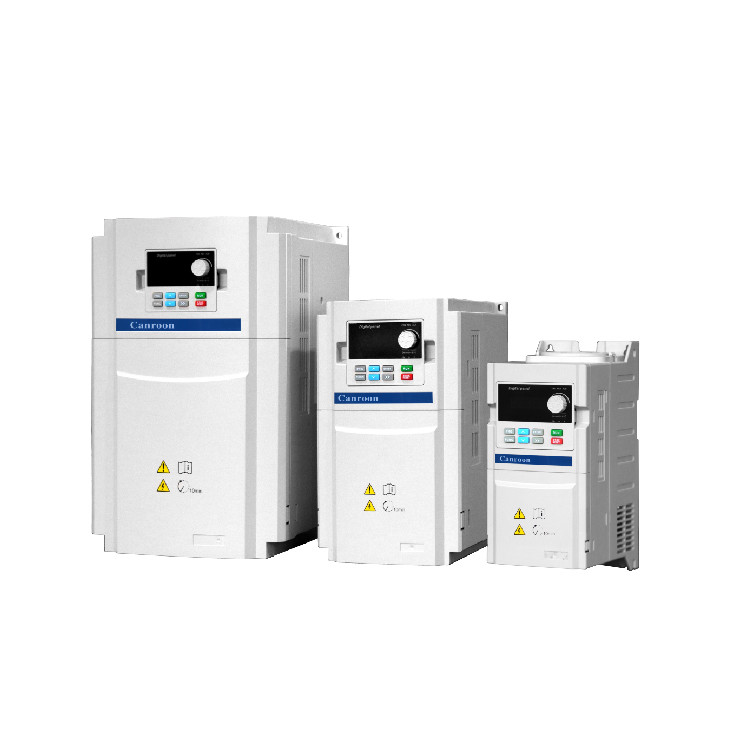
You should always think about where the VFD will be used. Canroon gives trusted choices for all your fan needs.
Key Takeaways
Always make sure the VFD matches your motor's full load amperage (FLA). This helps keep things safe and working well.
Think about things like temperature, humidity, and dust when picking a VFD. This helps the VFD last longer.
Pick the right control method for your fan. This will help save energy and make it work better.
Use a checklist so you do not make common mistakes when choosing a VFD. This makes sure you meet all the needs.
Look at Canroon's resources for expert help and tools. These can help you pick the right VFD.
Fan VFD Selection Basics
Using Motor Current and Voltage
Start by checking your motor’s nameplate. Find the voltage and full load amperage (FLA). These numbers help you pick the right size variable frequency drive. Matching voltage and current keeps your equipment safe. It also helps your fan work well.
Check these three things before picking a vfd:
Always use the motor’s FLA, not horsepower. Motors with the same horsepower can have different FLA numbers. If you size the drive by FLA, you stop overheating and torque loss.
Tip: If your fan is used at high altitude, you need to lower the vfd’s capacity. For every 100 meters above 1000 meters, reduce the drive’s size by 1%. This keeps your system safe and working well.
Considering Overload and FLA
Fans sometimes need more power for a short time. You must check the overload ability of your vfd. Most drives can handle 150% of rated current for 60 seconds in heavy-duty jobs. For normal jobs, the drive should handle 110-120% for 60 seconds.
You also need a safety margin when sizing your drive. The right safety factor depends on your job:
Follow these steps to size your vfd:
Pick the right safety factor for your fan.
Check the altitude and lower the drive’s size if needed.
Make sure the drive’s overload rating fits your fan’s needs.
Check that the drive can handle the motor’s full current.
Use a vfd-rated motor if your fan runs slow for a long time.
If you go over the FLA rating, you can hurt your motor and drive. Problems include broken parts, overheating, and torque loss.
Note: Always size your drive with a safety margin. This keeps your equipment safe and helps your fan last longer.
VFD Features for Fan Applications
Control Methods Overview
There are different ways to control your fan system. Each way has its own cost and how well it works. The most common ways are V/Hz (scalar), sensorless vector, and closed-loop vector. These ways help you change speed and torque. This can save energy.
You will see V/Hz control in many fan jobs. It is used for things like boiler forced draft fans and factory ventilation. This way is good for simple speed control. Sensorless vector control gives better torque and uses less energy. Closed-loop vector control is best when you need very exact speed and torque.
VFDs let you set the motor speed to match airflow. If you lower the speed by 20%, you can save almost half the energy. This makes your fan system use less power.
Tip: Picking the right control method can save 3-8% more energy. Most savings come from running the fan slower.
Environmental Considerations
You need to think about where you put your drive. Dust, water, and heat can hurt your equipment. The right enclosure rating keeps your system safe.
NEMA ratings show how well the box keeps out dust, water, and rust.
IP ratings use numbers to show how much protection you get.
NEMA 12 (IP54) is good for most indoor places with dust or some water.
NEMA 4X (IP66) is best for outside or very wet places.
Heat is the biggest problem for drives. You should keep the area cool to make your system last longer. If your drive gets too hot, it may not work right. Always check the enclosure rating. Keep the drive clean and dry.
Note: Good protection helps your fan system stay safe and last longer.
Avoiding Common VFD Mistakes
Misrating and Undersizing
You can stop many problems if you know the usual mistakes people make when picking a VFD for fans. Here are the main errors to avoid: 1. Always size your drive by Full Load Amperage (FLA), not just horsepower. This helps you not make expensive mistakes. 2. Look at the load profile. Different fans need different torque. Make sure your drive fits the load type. 3. Choose the right control mode for your fan. The wrong mode can make your fan work badly. 4. Think about altitude and temperature. These can change how your drive works and may cause it to trip from overload. 5. Do not forget harmonic analysis. Harmonics can cause problems and cost more money. 6. Use inverter-rated motors or add the right parts to keep your motor safe.
If you pick a drive that is too small, your fan motor will not get enough current. The motor windings will not be fully magnetized. This means your fan will not have enough torque. The motor can get too hot and wear out faster. You might see the motor break because of heat, especially at low speeds.
Tip: Always check the FLA and add a safety margin. This keeps your fan system safe and working well.
Ignoring Power Quality
Bad power quality can cause big problems for your fan system. The table below shows the most common power quality issues and what they mean:
You might see things like blown fuses, strange motor actions, or fault codes about voltage. These problems can come from things like unstable power, lightning, or sharing lines with big machines. The fast switching in drives can also make high voltages in cables and motors. This can hurt insulation and bearings, causing shaking and failure.
You can lower harmonics by using line reactors, passive or active harmonic filters, or low-harmonic drives. These tools help your fan system work smoothly.
Application-Specific Tips
HVAC Fan VFDs
You often see fans in HVAC systems that control air flow and temperature in buildings. When you select a vfd for these fans, you need to look at several important factors. The table below shows what you should check:
You should match the drive to the way your fan works. If your fan runs all day, pick a drive that can handle long hours. If you need to control air flow closely, choose a drive with good PID control. You also need to think about where you will install the drive. Hot or wet places need drives with better protection.
Tip: Always check the control features and duty cycle before you choose a drive for your HVAC fan.
Industrial Fan VFDs
Industrial fans often run in tough places. You need to pick drives that keep your system safe and reliable. The table below lists features that help your fan work better in factories:
You should look for these features when you choose a drive for an industrial fan. Dynamic braking helps stop large fans safely. De-icing keeps your fan working in cold weather. Energy regeneration saves money by using less power. PID control keeps your process steady. Power loss ride through helps your fan keep running even if the power blinks.
You can use these application-specific drive recommendations to make sure your fan system works well in any setting.
Final Checklist and Canroon Support
Step-by-Step Review
A checklist helps you pick the right fan drive. It stops mistakes and keeps your equipment safe. Follow these steps before you decide:
Look at the motor nameplate for voltage and full load amperage.
Make sure the drive voltage and current match your motor.
Check the fan’s torque profile and load type.
See if the drive’s overload rating fits your job.
Think about where you will put the drive.
Pick the best control method for your fan.
Add a safety margin when sizing the drive.
Find features like PID control or dynamic braking if you need them.
Check power quality and plan for harmonic filters.
Look at the enclosure rating for dust, water, and heat.
Tip: Print this checklist and use it when you choose your drive. It helps you stay organized and not miss any steps.
Here is a simple table to help you review:
Canroon Resources
Canroon can help you at every step of picking your vfd. They have guides, calculators, and expert support. You can ask their team for advice or help. Their website has manuals and videos. You can join webinars to learn more about fan drives.
Get technical documents for more details.
Use online tools to size your drive fast.
Contact support for custom help.
Watch training videos for easy instructions.
Join webinars to learn about new features.
😊 You can trust Canroon for help and resources. This makes your fan system safer and easier to use.
You can get good performance if you follow important steps for fan vfd selection. Make sure the vfd fits your fan’s motor and load. Use the checklist so you do not make mistakes and everything works together. Ask Canroon for help if you need it. Look at the table below for things you should think about:
Keep your fan vfd clean and dry. Take care of it often. Check it regularly and listen for strange sounds.
FAQ
What is the most important factor when choosing a fan VFD?
You should always check the motor’s full load amperage (FLA). This number tells you how much current your motor needs. FLA helps you pick the right VFD size for safety and performance.
Can I use any VFD with my fan motor?
No, you must match the VFD to your motor’s voltage, current, and type. Using the wrong VFD can cause overheating, poor control, or damage.
How do I protect my VFD from dust and water?
You can choose a VFD with a high NEMA or IP rating. For example, NEMA 12 or IP54 works for dusty places. NEMA 4X or IP66 protects against water and outdoor use.
Why does my fan VFD need a safety margin?
A safety margin helps your VFD handle short overloads and keeps your system safe. It also helps your fan last longer and prevents unexpected shutdowns.
What should I do if my VFD shows error codes?
Check the manual for the error code meaning.
Inspect wiring and connections.
Reset the VFD if needed.
Contact technical support if the problem continues.
Always follow safety steps before working on your VFD.
Sign up for updates