




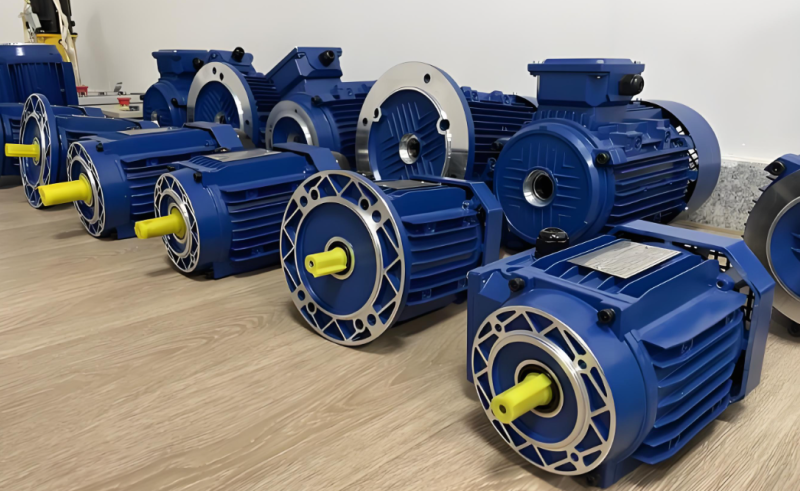
To pick the right variable frequency drive for your motor, you must match the ac drive to your motor’s voltage, power, and full load amps. Always look at the nameplate data and try not to make common mistakes. These mistakes are using the wrong ac voltage, making bad power connections, or picking the wrong application rating. You also need to think about how far the drive is from the motor and what kind of capacitor is used. You should also think about where your application is and what load it needs. Canroon gives good ac drive choices for all kinds of ac motors and uses.
Sizing by amps, not horsepower, stops under- or over-sizing.
Wrong voltage or power connections can break the variable frequency drive.
Load type and distance from the drive can change how it works.
Key Takeaways
Always look at your motor's nameplate for voltage, power, and full load amps. This helps you match it with the AC drive.
Pick your AC drive size by using full load amps, not horsepower. This stops overheating or wasting energy.
Think about the load type and duty cycle when you choose an AC drive. This helps your motor work well and saves energy.
Make sure you install everything right by thinking about temperature, humidity, and dust. This keeps your equipment safe.
Check for safety features and ways to add more parts in your AC drive. This makes your system safer and easier to change later.
Identify Motor Specifications
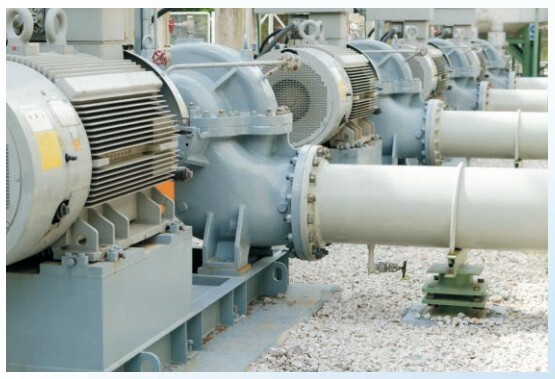
When you pick an ac drive, start by finding what your motor needs. The nameplate on your motor has key information. It shows voltage, power, current, speed, and duty cycle. These details help you match your motor to the ac drive. If you skip this step, your equipment can get damaged or waste energy.
Voltage and Power Ratings
Always check the voltage and power ratings on the nameplate. Voltage tells you what your motor needs to run. You must match the voltage to the ac drive. Using the wrong voltage can stop your motor or hurt it. Power rating, shown in horsepower or kilowatts, tells how much work your motor can do. This helps you pick the right ac drive size.
Tip: Check the phase requirement on the nameplate. If your motor needs three-phase power, make sure your ac drive can give it.
Here is a simple table to help you read the nameplate:
Full Load Amps and Horsepower
You need to know the full load amps and horsepower of your motor. Full load amps show how much current your motor uses at full power. Size your ac drive by full load amps, not just horsepower. If the drive is too small, it can overheat or shut down. If it is too big, you waste energy and money.
Horsepower shows the size range for the ac drive.
Full load amps tell the current at full load, which is important for sizing.
Check the service factor on the nameplate. This helps with overloads.
When you check horsepower in the field, you make sure your motor fits your job. If your motor is too big, you can change it or use a variable frequency drive to save energy. You must also size wiring and breakers by the National Electrical Code for any load.
Speed Range and Duty Cycle
Think about the speed range and duty cycle of your motor. Speed range tells how fast or slow your motor can run safely. If you go past these limits, your motor can overheat or break. Duty cycle shows how long your motor can run before it needs a rest. Some motors run all day, others run for short times.
Your ac drive choice depends on these things. If you need variable speed, pick a drive that can handle the torque-speed needs. Duty cycle affects how much current the drive can handle. You must look at load type, speed range, and duty cycle to get the best performance.
Speed range limits keep your motor safe.
Duty cycle tells if you need a drive for all-day or short use.
Torque needs change with speed and load type.
Note: Knowing the load type helps you pick the right motor and see if a variable frequency drive saves money. Many jobs use variable frequency drives to save energy, especially for fans and pumps.
By finding these motor details, you make sure your ac drive fits your motor. You protect your equipment, save energy, and make it work better.
Match AC Drive to Motor
Drive Sizing and Current Ratings
You need to pick a vfd that fits your motor. Start by looking at the motor nameplate. Find the power, voltage, and full load amps. These numbers help you choose the right vfd. If you do not see full load amps, you can figure it out. Use this formula for three-phase motors:
I = P / (√3 × V × PF × η)
I means current, P is power, V is voltage, PF is power factor, and η is efficiency. For example, a 7.5 kW motor at 415 V with a power factor of 0.85 and efficiency of 0.9 uses about 13.6 amps. Add 20% more for safety. The final current rating is about 16.3 amps. Pick a vfd with a voltage rating that matches your motor. Make sure the vfd’s current rating is the same or higher than your number.
Tip: Always check the phase and frequency on the motor nameplate. Your vfd must match these details.
Here is a simple ordered list to help you size your ac drive:
Get the motor details from the nameplate.
Find or calculate the full load current.
Add extra for safety and reliability.
Pick a vfd with matching voltage and current ratings.
Think about things like high temperature, long cables, and high starting torque.
Industry rules say you must match voltage and power rating. This stops damage and keeps things running well. Some vfd models have special controls to help you set speed and torque. Energy-saving features in vfd units help you save money, especially if your load changes.
Overload Capacity
You need to check the overload capacity of your vfd. Sometimes motors need extra torque for a short time. The vfd must handle this without turning off. Most industrial vfd units can give more power for a short burst.
If your job needs high torque to start or move heavy things, pick a vfd with the right overload capacity. This keeps your motor safe and stops downtime. You protect your equipment and keep things running.
Note: Always check the service factor and overload ratings on both the motor and the vfd. This helps you stop surprise shutdowns.
Avoid Oversizing Variable Frequency Drive
Getting a vfd that is too big can cause problems. You might think bigger is better, but it is not. If the vfd is more than twice the motor size, you waste money and space. Big vfd units can make low-speed torque control worse. They can make closed-loop systems unstable. You also spend more on space and setup.
Bad low-speed torque control
Unstable closed-loop systems
Extra cost and wasted space
You should match or go a little above the motor full load amps for best results. This gives you enough power for normal use and short overloads. You avoid problems from oversizing and keep your system working well.
Tip: Follow industry rules and certifications when you pick your vfd. Look for UL, CE, RoHS, IEEE 519, and NEC/CEC marks. These show the drive is safe and works well.
Matching your vfd to your motor with the right size, current, and overload capacity keeps your system safe and working well. You avoid mistakes and get the best from your ac drive.
Evaluate Application and Load Needs
Load Type and Torque Requirements
You must look at the load type before you pick an ac drive. Each motor faces different load characteristics. Some loads need steady torque, while others need more power at certain times. You see variable torque loads in fans and pumps. These loads save energy when you use a variable frequency drive. Constant torque loads, like conveyors and mixers, need the same torque at all speeds. Impact loads change force quickly and need careful drive selection. Breakaway loads need extra torque to start moving.
Here is a table that shows common load types:
You must match the required torque to the load type. If you do not, your motor may not work well. Canroon offers ac drive solutions for all these load characteristics. You get reliable power and energy efficiency.
Speed Regulation and Acceleration
You control the speed of your motor with an ac drive. Modern drives let you regulate speed from 10% to 200%. You can set soft-start ramps to lower inrush current by up to 70%. This protects your motor and keeps your process stable. You avoid mechanical shock and save energy. You must check how fast your load needs to start and stop. Some jobs need quick acceleration, while others need slow ramps.
Tip: Use soft-start features to improve energy efficiency and protect your equipment.
Kinematics, Dynamics, and Inertia
You must know the dynamics of your load. High-inertia loads need more power and torque to start moving. Low-inertia loads need less. If your load has high inertia, you must pick an ac drive that can deliver the required torque. You must also check how the load moves and stops. This affects energy efficiency and drive selection. Canroon ac drives handle both high and low inertia jobs. You get smooth starts and stops, and you save energy.
High-inertia loads need strong torque and power.
Low-inertia loads need less torque.
Match your ac drive to the load characteristics for best energy efficiency.
You must look at all these factors to pick the right ac drive for your motor. You get better performance, save energy, and protect your equipment.
Consider Environment and Installation
Temperature and Humidity
You need to check the temperature and humidity where you put your ac drive. Hot places can make your motor get too warm and work less well. Damp air can cause rust and electrical problems. If your variable frequency drive is in a hot or wet spot, you must use cooling and protection. Enclosures help keep out water and heat. Some places have harmful gases like hydrogen sulfide, chlorine, or ammonia. These gases can hurt your ac drive and motor. You need enclosures and cooling systems that keep your equipment safe from these dangers.
Tip: Always watch temperature and humidity. Use cooling fans and sealed boxes in tough places.
Dust and Cable Length
Dust can block air and make your ac drive too hot. Clean dust from fans and heatsinks often. Good cooling keeps your motor safe and saves energy. You also need to manage cable length. Long cables can cause electrical noise and make things work worse. Keep power, motor, and control wires apart. Use shielded cables and cross control wires at right angles to stop noise. The table below shows what to do:
Installation Space
You need enough space for your ac drive. Small spaces can block air and cause overheating. Leave room for cooling fans and easy maintenance. If your motor is far from the drive, use good cable management to stop electrical problems. Common mode voltage and ground loops can cause heating and damage. You can use filters, shielded cables, and better grounding to protect your ac system.
Note: Using a high-quality drive with noise suppression helps protect sensitive electronics and keeps your system working well.
You keep your motor and ac drive safe by thinking about temperature, humidity, dust, cable length, and space. You make your equipment work better, save energy, and protect it.
Review Variable Frequency Drive Features
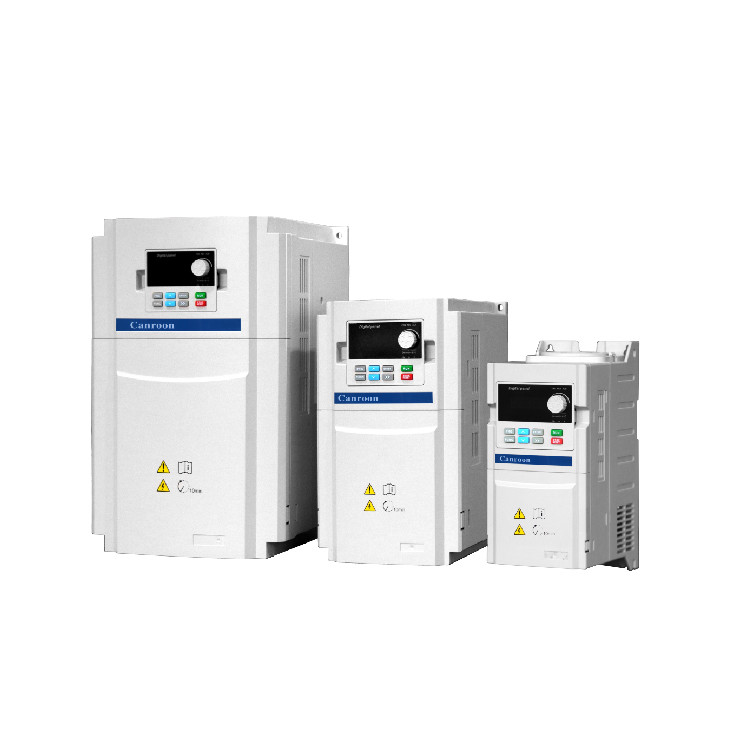
When you pick an ac drive, look at its features. These features help your motor work better and use less energy. The right variable frequency drive does more than change speed. It can save energy, protect your motor, and help you plan for the future.
Control Methods
You need to pick the best control type for your job. Each control method changes how your motor works and how much energy it uses. Some methods are easy to use. Others give you more control and better results. Here is a table that shows the main control types:
You should match the control type to your load and job. Fans and pumps often use scalar control. Robots and CNC machines need vector or direct torque control for better results.
Tip: Pick the right control type if you want to save energy and make your motor work better.
Communication and I/O
Modern ac drives can connect to many other systems. You can use different ways to send and get signals. This helps you watch, control, and automate your motor. Here is a table of common ways to connect:
You can connect your ac drive to building or factory systems. You can even use wireless devices. This helps you check how things work and make changes fast.
Safety and Expansion
Safety features keep your ac drive and motor safe from harm. You need to look for built-in protection and ways to add more parts later. Here is a table of important safety features:
You should also think about what you might need later. Many ac drives let you add more I/O, communication cards, or safety parts. Canroon gives you choices so you can grow your system if you need to.
Note: Always check the warranty and support for your ac drive. Good support helps you fix problems and keeps your system working.
By looking at these features, you make sure your ac drive works well, keeps things safe, and can grow with your needs. You get better control, save energy, and help your motor last longer.
You can pick the right ac drive for your motor by using easy steps. First, check the power rating and voltage. Next, match the variable frequency drive to your load type. Then, think about where you will install it and what the ac environment is like. After that, look at safety features and control methods. Finally, plan for any upgrades you might need later.
When you match ac drive specs to your motor, you save energy. You also lower stress on your system and make your process better. Your ac system breaks down less and lasts longer. If you want help, Canroon can support you at every step.
Smart choices help your ac system work well and give you better results.
FAQ
What is an ac drive and why do you need it?
An ac drive controls the speed and torque of your ac motor. You use it to save energy, protect your equipment, and improve your process. It helps you match the motor to your job.
How do you know if your ac motor fits the ac drive?
You check the motor nameplate for voltage, power, and full load amps. You match these numbers to the ac drive specs. This keeps your ac system safe and working well.
Can you use an ac drive for any ac motor?
You can use an ac drive for most ac motors. Some motors need special settings or extra cooling. Always check the motor type and ask the manufacturer if you are not sure.
What happens if you install the ac drive in a hot or dusty place?
Heat and dust can hurt your ac drive. You need cooling fans and clean air. You should check the drive often and keep dust away. This helps your ac system last longer.
How do you connect the ac drive to other systems?
You use analog signals, digital inputs, or network cables. Many ac drives let you connect to building or factory systems. You can monitor and control your ac motor from far away.
Previous:
Next:
Sign up for updates